A practical guide to building systems, hiring, scaling revenue, and avoiding burnout as you grow
Congratulations. You did what most people only talk about — you started a business and got it off the ground!
You assessed your idea. You validated it with real customers. You set up your legal and financial foundations. You built a website. You found your first paying customers. You survived the startup phase.
And now you’re standing at a new crossroads, facing a completely different set of challenges.
In the early days, scrappy worked. You wore every hat. You figured things out on the fly. You responded to every email personally, packed every order yourself, handled every customer call.
That got you here. But it won’t get you there.
If you keep doing everything yourself, one of three things will happen: you’ll hit a revenue ceiling you can’t break through, you’ll burn out from working 70-hour weeks, or you’ll grow so fast that quality falls apart and customers leave.
The business you built through hustle and improvisation now needs something different. It needs systems. It needs processes. It needs to run without you being the single point of failure.
Last but not least is LEVERAGE. Leverage is utilizing strengths that you have access to in order to grow your business past yourself, past one person, past the solopreneur founder. It's how a larger business gets 10x output without working 10x harder.
You do this by leaning into scalable business habits like maximizing efficiencies, productivity, scalable processes and product lines, good training practices, documenting systems, hiring others, borrowing capital if appropriate, utilizing available networks such as the internet, advertising, customer support automation and many other things like that.
A great way to think of leverage is to ask yourself "How can I replace myself in this part of my job and still be profitable? That's a key concept of using leverage in your business.
This is the final guide in the series — and it’s about the transition from founder-does-everything to building a real, sustainable business.
By the end of this guide, you’ll know how to:
Not every business needs to scale to seven figures. Not every founder wants to manage a team of 20 people. Some of the best businesses stay small, profitable, and manageable.
This guide is not about grow-at-all-costs startup culture. It’s about smart, intentional growth that serves your life — not consumes it.
Whether you want to scale to $1 million in revenue or build a lean $150K business that gives you freedom, the principles are the same: systems beat hustle, processes beat talent, and sustainable beats fast.
Like the other books in this series, this is a workbook. Each chapter includes exercises, templates, and examples. Work through them in order. By the end, you’ll have a clear roadmap for your next phase of growth.
Let’s build a business that works without breaking you.
What to fix first when your business is surviving but not growing—start with messaging, not traffic.
Before we talk about scaling systems and hiring teams, let's address the elephant in the room: What if you're not growing yet?
You launched. You have customers. You're making money. But you're stuck at break-even—covering expenses, maybe paying yourself a little, but not breaking through to real growth.
This chapter is your first-aid kit. If you're stuck, work through this checklist in order. Don't skip to Priority #5 when the real problem is Priority #1.
This is the foundation. If your value proposition isn't crystal clear, all the traffic in the world won't convert.
Most founders obsess about getting more traffic when the real problem is that visitors don't understand what they're buying or why they should care. Fix the leak before adding more water.
Check these:
The fix: Most struggling founders need to sharpen their messaging, raise prices, or both. Do this before spending another dollar on ads.
Your customers will tell you exactly what messaging resonates and why you're not growing faster—if you ask the right questions.
Ask them:
What you're looking for: Patterns. If 7 out of 10 people say "I almost didn't buy because your website looked outdated," you found your problem. If they say "I bought because you explained the problem better than anyone else," you found your messaging strength—double down on it.
Now that messaging is solid, focus on driving traffic. This is the problem 90% of the time once messaging is dialed in—you're not getting enough new customers.
Ask yourself:
Most stagnant founders don't actually know their metrics. You can't fix what you don't measure.
Calculate these right now:
Red Flags:
Healthy Metrics:
This sounds scary, but it's often the fastest way to break through stagnation.
Why this works:
Test it: Raise prices 20-30% for new customers. If you don't lose more than 20% of conversions, keep the new price. Most founders lose 0-10% of customers and make 20-30% more per sale.
You're trying 10 things at a mediocre level instead of 2 things at a mastery level.
The trap:
The fix: Pick 2 channels. Commit to 90 days. Track the numbers. Double down on what works.
Most founders give up too soon. They try something once, it doesn't work, they quit.
Reality check:
If you're stuck at break-even, the problem is almost always one of four things:
Work through this checklist in order. Fix Priority #1 (messaging) before driving more traffic. Most founders skip this and waste money on ads that don't convert. Once messaging is dialed in, most will never make it past Priority #3 (customer acquisition)—because fixing those two things solves everything.
Once you've fixed these fundamentals, the rest of this guide will show you how to scale what's working, build systems, and grow sustainably. But if you're not growing yet, start here.
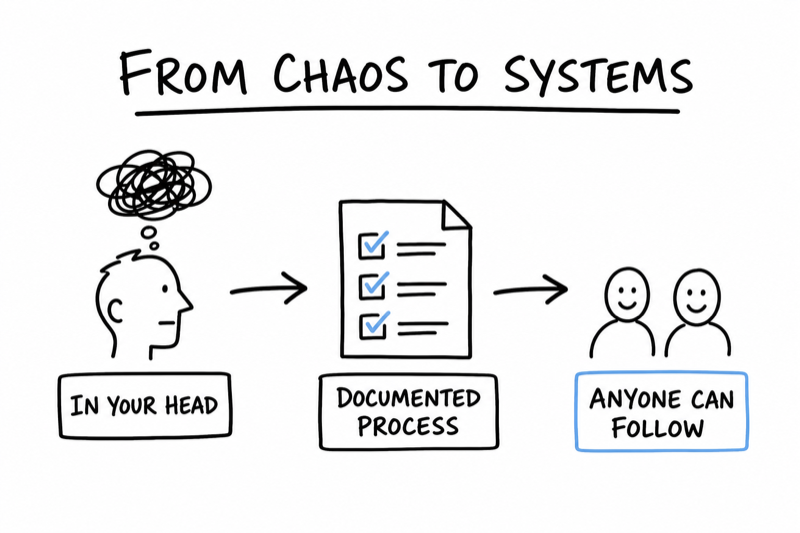
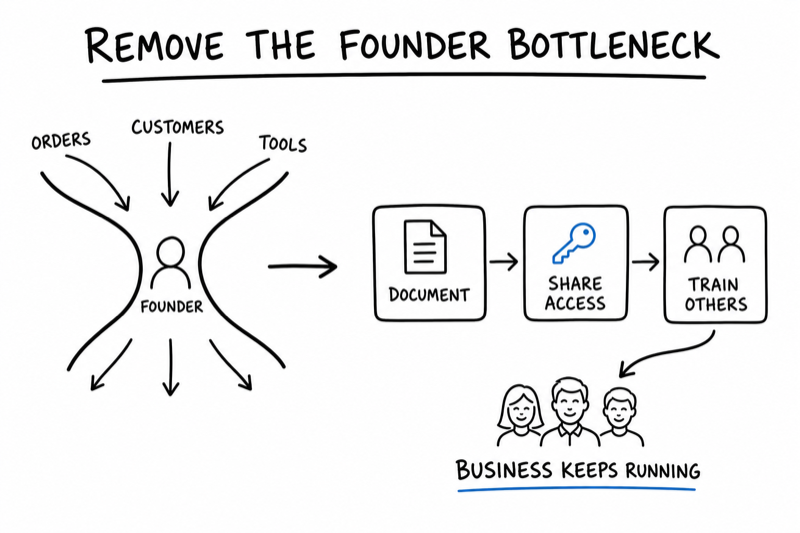
Let’s turn the chaos in your head into repeatable processes anyone can follow. You can't do these tasks on your own forever.
The 3 things you must take away from this chapter
Right now, most of your business probably lives in your head. We need to begin the process of sharing it all. You know how to process an order, respond to a customer complaint, prep a product for shipment, or troubleshoot a common issue. You’ve done it a hundred times.
But here’s the problem: if it’s only in your head, it’s trapped there. You can’t delegate it. You can’t improve it. You can’t scale it. And you definitely can’t take a week off without everything falling apart.
The first step in growing your business is getting your processes out of your head and onto paper (or a screen). That’s what this chapter is about.
Let’s be honest — documentation can feel boring. It feels like busywork. You’d rather be selling, building, or serving customers. Writing down step-by-step instructions for things you already know how to do feels like a waste of time.
But here’s what happens when you don’t document:
Documentation isn’t busywork. It’s the infrastructure that lets you grow.
Documentation is the beginning of the process that FREES the founder. That's you. After you document, you can begin to train. After you train, you can allow others to start doing the things that used to tie you down.
Now you're beginning to free yourself to work ON your business instead of IN your business.
You don’t need to document your entire business on day one. That’s overwhelming and unnecessary. Instead, start with the tasks that meet these criteria:
Most founders have 3–5 tasks that fit this profile. Here are common examples:
You don’t need fancy software or a 50-page operations manual. You need three types of documents, and you can create all of them in Google Docs or Notion.
1. Checklists — A numbered list of steps for a simple, linear process. Best for tasks with 5–15 steps that don’t require much explanation.
Example: Order Fulfillment Checklist
Order Fulfillment Checklist
2. SOPs (Standard Operating Procedures) — A more detailed guide that includes context, screenshots, and troubleshooting. Best for complex tasks or tasks that require judgment calls.
Example: How To Handle a Customer Complaint
SOP: Handling Customer Complaints
Step 1: Respond within 2 hours (even if just to acknowledge receipt)
Step 2: Read the full complaint and identify the issue type:
Step 3: Apologize sincerely. Use template: “I’m sorry this happened. Here’s what I’m going to do to fix it…”
Step 4: Resolve the issue (process refund, send replacement, etc.)
Step 5: Follow up 3 days later to confirm they’re happy
Step 6: Log the issue in the complaints tracker (helps identify patterns)
3. Templates — Pre-written emails, messages, or documents that you customize for each use. Saves time and ensures consistency.
Example: New Customer Welcome Email Template
Subject: Welcome to [Business Name]! Here’s what to expect
Hi [Name],
Thanks for your order! Your [product] will ship within 2 business days. You’ll get a tracking number as soon as it goes out.
In the meantime, here are a few things that might be helpful:
If you have any questions, just reply to this email. I read every message.
Thanks for supporting [Business Name]!
[Your Name]
The easiest way to document a process is to record yourself doing it while narrating each step. Use a free tool like Loom or Zoom. Both these tools allow you to record your screen while talking.
Here’s the process:
Using Loom or Zoom to demonstrate and explain a process takes 10–15 minutes per process and gives you both a written checklist and a training video. When you hire someone, they can watch the video and follow the checklist.
This saves you from doing the training - but don't forget to give the person a test to ensure they understood and retained the information.
List the 3 tasks you do most often in your business:
1.
2.
3.
For each task, choose the format:
Deadline to complete these 3 documents:
Sarah runs a meal-prep delivery business. She’s been doing everything herself for a year, but she’s hitting a ceiling — she can only prep 30 meals a week before she runs out of time.
She identifies her top 3 repetitive tasks:
What she documents first: The meal prep and packaging process. She records a Loom video of herself prepping one full meal from start to finish, narrating each step. Then she writes a checklist with 22 steps, including:
This one document becomes the foundation for hiring her first kitchen assistant. Instead of spending weeks training someone hands-on, she can hand them the checklist and video and have them productive in days.
Keep it simple. You don’t need expensive software. Here are three free or low-cost options:
Pick one and stick with it. The goal is to have all your processes in one place that’s accessible to anyone who needs them.
Once you have your core processes documented, here’s what becomes possible:
Documentation is not the fun part of running a business. But it’s the foundation that makes everything else possible. Do this work now, and your future self will thank you.
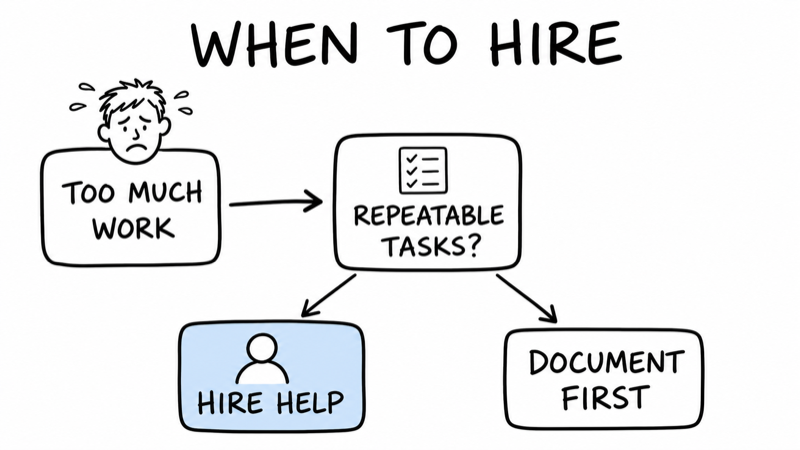
Let’s figure out when you’re ready to hire and what to hire for first.
The 3 things you must take away from this chapter
Hiring your first employee is one of the biggest milestones in building a business. It’s also one of the scariest.
You’re about to become responsible for someone else’s paycheck. You’re going to have to trust someone else with your business — the thing you’ve poured your time, money, and heart into. And if you hire the wrong person, it can set you back months and thousands of dollars.
So how do you know when you’re ready? And what should you hire for first?
Here’s the truth: being tired is not a reason to hire. Feeling overwhelmed is not a reason to hire. Every founder feels those things. The question is whether hiring will actually solve the problem or just add a new layer of complexity.
DO NOT hire people before you've got some repeatable revenue and a growing customer base. You must be past the "no income" stage before you begin hiring people to do all the jobs.
You’re ready to hire when these three things are true:
1. You’re the bottleneck. There are tasks that only you can do (sales, strategy, relationships), but you’re spending most of your time on tasks that someone else could do (admin, fulfillment, customer service). Revenue is stalling because you don’t have time to sell or grow.
2. Revenue supports it. A rough rule of thumb: you should be making at least 3–4x the cost of the hire in monthly profit. If you’re hiring someone for $3,000/month, you should be clearing at least $10K/month in profit. Otherwise, one slow month could put you in a hole.
3. You have documented processes. If you haven’t documented what needs to be done (Chapter 1), you’re not ready to hire. You’ll spend all your time training and micromanaging instead of getting leverage from the hire.
There are two schools of thought on what to hire for first:
Option 1: Hire for your weakness. If you’re bad at bookkeeping, hire a bookkeeper. If you hate social media, hire a social media manager. This frees you to focus on what you’re good at.
Option 2: Hire for your time-sink. Identify the task that eats the most hours of your week but doesn’t require your unique skills. Hire someone to take that off your plate so you can focus on high-value activities like sales, product development, or strategy.
Both are valid. Here’s how to decide:
For most small businesses, the first hire falls into one of these categories:
Don’t jump straight to hiring a full-time employee. Start with a contractor (also called a freelancer or 1099 worker). Here’s why:
Once you’ve worked with a contractor for 3–6 months and you’re confident in the role and the person, you can bring them on as an employee if it makes sense.
Good First Hires:
Bad First Hires:
You don’t need a recruiter or a fancy job board. Here are the best places to find contractors and part-time help:
A good job description is short, specific, and clear about expectations. Here’s a template:
Job Title: Part-Time Customer Service Rep (Remote)
Hours: 15 hours/week, flexible schedule
Pay: $20/hour (contractor position)
What you’ll do:
What we’re looking for:
To apply: Send a short email (3–4 sentences) explaining why you’d be great for this role + a link to your resume or LinkedIn.
Notice what’s included: clear hours, clear pay, clear responsibilities, and a simple application process. This filters out people who aren’t serious and attracts people who actually read the posting.
You don’t need a 5-round interview process. For a first contractor hire, keep it simple:
Round 1: Application review (10 minutes)
Read their application email and resume. Do they follow instructions? Is their writing clear? Do they have relevant experience? If yes, move to Round 2.
Round 2: Short video call (20–30 minutes)
Ask 3–5 questions to get a feel for their communication style, reliability, and fit. Examples:
Round 3: Paid trial project (2–4 hours of work)
Hire them for a small, paid project before committing to ongoing work. Examples:
This shows you how they work in practice, not just how they interview. If the trial goes well, bring them on for regular hours.
A good onboarding process makes the difference between a hire that works out and one that fizzles. Here’s a simple onboarding checklist:
First Hire Onboarding Checklist:
If your new hire isn't working out, let them go. Don't delay the inevitable. Give your new hire clear measurable directions. If they don't work out, let 'em go.
Sarah’s meal-prep business is growing. She’s making $8K/month in profit, but she’s maxed out at 30 meals/week because she’s the only one prepping.
What she hires for first: A part-time kitchen assistant to help with meal prep and packaging (10 hours/week, Sunday mornings).
Why this role: It’s her biggest time-sink, it’s fully documented (she created the checklist in Chapter 1), and it directly frees her to take on more orders.
Where she finds them: She posts in a local culinary school’s job board. She gets 12 applications, interviews 3, and hires a recent grad for a 4-week trial at $18/hour.
The result: After 2 weeks of training, the assistant can prep meals independently using the checklist. Sarah’s capacity doubles to 60 meals/week, revenue jumps to $12K/month, and she finally has Sunday afternoons free.
Map out your first hire:
1. What role would give you the most leverage right now?
2. How many hours per week would you need help?
3. What would you pay (hourly or monthly)?
4. Can your current revenue support this hire? (Revenue should be 3–4x the cost)
5. Have you documented the process for this role? (If not, go back to Chapter 1)
Let’s eliminate the repetitive work that’s eating your hours every week.
The 3 things you must take away from this chapter
You can’t clone yourself. But you can use tools and automation to multiply your output and reclaim hours every week.
The right tools won’t just save you time — they’ll reduce errors, improve consistency, and free you to focus on the work that actually grows your business (like sales, strategy, and product development).
This chapter is about working smarter, not harder.
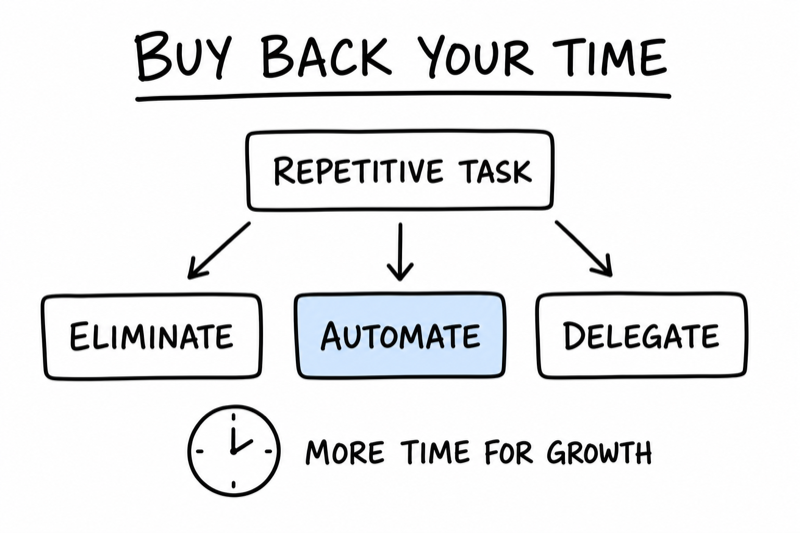
Before you buy a single tool, run every task through this filter:
1. Can I eliminate this? Is this task actually necessary, or am I doing it out of habit? Example: Sending a weekly newsletter that no one reads. Solution: Stop doing it.
2. Can I automate this? Can software do this faster, cheaper, or more consistently than I can? Example: Sending order confirmation emails. Solution: Automate it.
3. Can I delegate this? If it can’t be eliminated or automated, can someone else do it? Example: Packing orders. Solution: Hire part-time help (Chapter 2).
Most founders jump straight to delegation (hiring) because it feels productive. But the best solution is often elimination or automation — both of which are cheaper and faster.
You can’t optimize what you can’t see. Spend one week tracking how you spend your time. It doesn’t have to be precise — just ballpark it.
Time Audit: Where do your hours go?
For each category, estimate how many hours per week you spend:
Customer communication (email, support, calls): hours/week
Order fulfillment/delivery (packing, shipping, logistics): hours/week
Admin work (invoicing, bookkeeping, scheduling): hours/week
Marketing/content (social media, emails, ads): hours/week
Product/service delivery (the actual work you sell): hours/week
Sales/business development (reaching out to prospects, closing deals): hours/week
Other/misc: hours/week
Now look at your answers. The categories with the most hours are your targets for automation or delegation. Focus there first.
You don’t need a dozen tools. You need the right 5–7 tools that cover the core functions of your business. Here’s a starter stack:
1. Email & Communication
2. Scheduling
3. Invoicing & Payments
4. Customer Relationship Management (CRM)
5. Email Marketing
6. Social Media Scheduling
7. Project & Task Management
8. Bookkeeping
Here are the highest-ROI automations for small businesses. Most of these take 15–30 minutes to set up and save hours every week.
1. Order confirmations and shipping notifications
Tool: Shopify, WooCommerce, or email platform
Setup: Create email templates that automatically send when someone places an order or when you mark an order as shipped.
2. Invoice reminders
Tool: Wave, Square Invoices, or QuickBooks
Setup: Automatically send a reminder email 3 days before an invoice is due and 1 day after it’s overdue.
3. New customer welcome sequence
Tool: Mailchimp, ConvertKit, or Klaviyo
Setup: When someone makes their first purchase or joins your email list, automatically send a series of 3–5 emails over the next 2 weeks (welcome, product tips, testimonials, offer).
4. Social media posting
Tool: Buffer, Later, or Hootsuite
Setup: Batch-create content once a week and schedule it to post automatically.
5. Lead capture and follow-up
Tool: Google Forms + Zapier, or Typeform
Setup: When someone fills out a contact form on your website, automatically add them to your CRM and send a follow-up email.
6. Appointment confirmations and reminders
Tool: Calendly, Acuity, or Google Calendar + Zapier
Setup: Automatically send a confirmation email when someone books a call, plus a reminder 24 hours before.
Sarah was spending 5 hours a week on customer emails:
What she automated:
Result: Customer communication drops from 5 hours/week to 1 hour/week — a savings of 16 hours per month. She reinvests that time into reaching out to corporate clients for catering orders.
Free tools are great when you’re starting. But as you grow, some paid tools become worth it because they save you time or make you money. Here’s how to decide:
Stay free if:
Upgrade to paid if:
A $30/month tool that saves you 10 hours is a no-brainer. That’s $3/hour for time you can spend on sales or growth.
Once you have your core tools in place, you can connect them with automation platforms like Zapier (free tier + paid plans) or Make (formerly Integromat). These let you build workflows without coding.
Example workflows:
This level of automation is optional in the early days, but it becomes powerful as you scale. Start simple, then layer in complexity as needed.
Pick 3 tasks to automate this month:
Task 1:
Tool I’ll use:
Estimated time saved per week:
Task 2:
Tool I’ll use:
Estimated time saved per week:
Task 3:
Tool I’ll use:
Estimated time saved per week:
Let’s build a business that can run (at least for a week) without you.
The 3 things you must take away from this chapter
Ultimately the goal is to build something that will earn money for you and your family even when you're not able to go to work. That's the real goal here. This is your fist step toward a passive income stream that allows you to retire.
Here’s a scenario every founder dreads: You get sick. Or you have a family emergency. Or you just need a week off to recharge. Can your business survive without you?
For most early-stage founders, the answer is no. And that’s a problem.
If you’re the only person who can process orders, handle customer issues, manage vendors, or run payroll, you’re not running a business — you’ve created a job you can’t quit.
This chapter is about fixing that. It’s about building a business that can function without you being the single point of failure.
A single point of failure is anything in your business that breaks if you’re not there. Common examples:
This creates two problems: you can never step away (burnout risk), and your business can’t scale (you’re the bottleneck).
The solution is building systems and redundancy into your operations.
This sounds morbid, but it’s one of the most useful thought experiments for business owners.
The test: If you got hit by a bus tomorrow and couldn’t work for a month, could someone else run your business?
If the answer to any of these is no, you have a single point of failure.
Redundancy doesn’t mean hiring a full backup team. It means making sure critical information, access, and skills aren’t locked inside your head or your laptop - and that you've empowered others to manage them without you.
Here’s how:
1. Centralize your documentation
All your process docs, SOPs, checklists, and templates should live in one shared location (Google Drive, Notion, Dropbox). Not on your desktop. Not in your email. One place, accessible to anyone who needs it.
2. Share access to critical tools
Use a password manager like 1Password or LastPass (both have team plans) to store all your logins. Share access with a trusted person — a business partner, assistant, or even a family member who can step in if needed.
Critical tools to share access to:
3. Document your “in case of emergency” contacts
Create a simple doc with key contacts and what they handle:
Emergency Contact List
4. Cross-train anyone who works with you
If you have an assistant or employee, make sure they know how to handle the basics in your absence. Walk them through critical tasks at least once, even if it’s not their primary job. Examples:
5. Create a “What to do if I’m unavailable” guide
A one-page doc that says: “If you can’t reach me for 48+ hours, here’s what to do.” Include:
Sarah realizes she’s a single point of failure. If she got sick during prep week, her customers wouldn’t get their meals and her business would collapse.
What she does:
The test: Sarah takes a long weekend off (first time in a year). Her assistant runs the Sunday prep and delivery. Two customers email with questions — the assistant responds using the FAQ doc. Everything runs smoothly.
The payoff: Sarah realizes she can finally take a vacation. And more importantly, she can scale — her assistant can now handle prep independently, freeing Sarah to focus on sales and marketing.
Complete these steps to reduce your single points of failure:
Right now, you might be the CEO, CMO, CFO, and janitor all in one. That’s normal in the early days.
But as you grow, your goal is to transition from operator to owner. That means:
That doesn’t happen overnight. But it starts with the work you do in this chapter: documenting, delegating, and building systems that don’t depend on you.
Let’s double down on what drives revenue and stop wasting time on everything else.
The 3 things you must take away from this chapter
You’ve built systems. You’ve hired help. You’ve automated repetitive tasks. Now comes the fun part: scaling what’s working.
But here’s the trap most founders fall into: they try to scale everything at once. They add new products, expand to new markets, launch new marketing channels — all while the core business is still fragile.
The result? Diluted focus, stretched resources, and stalled growth.
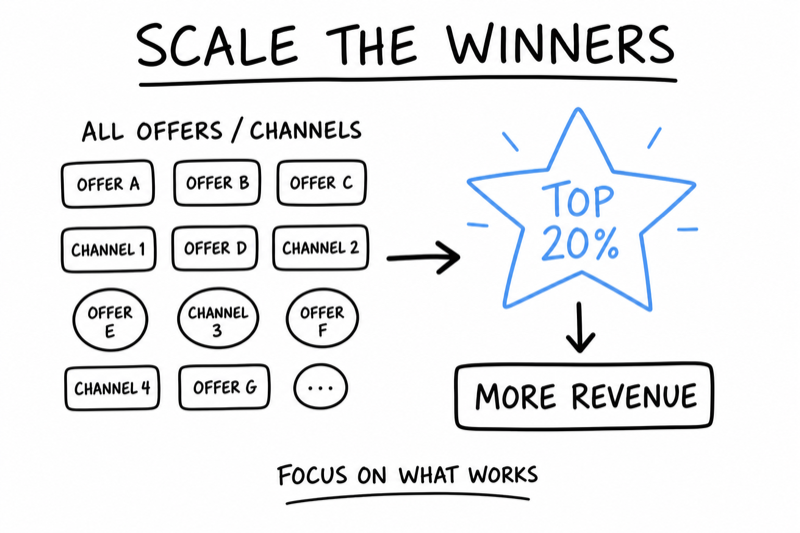
The smarter approach: identify the 20% of your business that drives 80% of results, and scale that first. Everything else can wait.
The 80/20 rule says that 80% of your results come from 20% of your efforts. In business, this shows up everywhere:
Your job as a founder: Find the 20% that’s driving results and pour more fuel on that fire. Stop wasting time on the 80% that barely moves the needle.
You can’t scale what you don’t measure. Here’s how to figure out where your revenue actually comes from:
Step 1: Break down your revenue by source
Where does your money come from? Examples:
Step 2: Calculate profit margin for each source
Revenue is vanity. Profit is sanity. A product that generates $10K in revenue but costs $9K to deliver is not your winner — even if it looks good on paper.
Calculate: Revenue − Cost of Goods Sold (COGS) = Gross Profit
Then: Gross Profit ÷ Revenue = Profit Margin %
Step 3: Rank everything by profit margin and revenue
Create a simple table:
| Product/Service | Monthly Revenue | Profit Margin | Monthly Profit |
| Corporate lunch boxes | $8,000 | 65% | $5,200 |
| Individual meal plans | $6,000 | 45% | $2,700 |
| One-time catering | $3,000 | 30% | $900 |
In this example, corporate lunch boxes are the clear winner: highest revenue, highest margin, highest profit. That’s what you scale.
Once you know what’s working, you have three options for everything else:
1. Double down — If it’s profitable and growing, invest more time, money, and energy into it. This is your 20%.
2. Maintain — If it’s profitable but not growing (or low-margin but consistent), keep it running at current levels but don’t invest more. Automate it or delegate it.
3. Cut or ignore — If it’s low-margin, high-effort, or not growing, stop doing it. You don’t have infinite time or resources. Focus matters.
Scaling isn’t just “do more of the same.” If you try to 5x your output without changing your systems, something will break — quality, customer service, or you.
Here’s how to scale smart:
1. Test small before going big
Don’t jump from 10 orders/week to 100 orders/week overnight. Increase by 20–30% at a time and make sure your systems can handle it. Fix what breaks, then increase again.
2. Hire or automate before you’re desperate
If you’re already working 60-hour weeks, you don’t have capacity to train someone or set up automation. Hire or automate when you’re at 80% capacity, not 120%.
3. Monitor quality obsessively during growth
Growth can hide quality problems. As you scale, watch for:
If any of these start creeping up, slow down and fix the issue before continuing to scale.
4. Raise prices before adding complexity
Sometimes the best way to scale revenue is not to sell more — it’s to charge more. Raising prices by 10–20% can increase profit without increasing workload. Test it with new customers first.
Growth is good. But reckless growth can kill your business. Watch for these red flags:
If you see any of these, pump the brakes. Pause new marketing, stop taking new clients temporarily, and fix the systems before continuing to grow.
Sarah runs the numbers and realizes that corporate lunch subscriptions are her most profitable offering:
What she does to scale this segment:
The result: Within 3 months, she goes from 5 corporate clients to 12. Monthly recurring revenue jumps from $2K to $5,500. Profit doubles. Individual meal plans continue at the same level (maintenance mode), but she stops actively marketing them.
Identify your 20% that drives 80% of results:
1. List your top 3 revenue sources:
Source 1:
Monthly revenue:
Profit margin:
Source 2:
Monthly revenue:
Profit margin:
Source 3:
Monthly revenue:
Profit margin:
2. Which one has the highest profit margin AND the most growth potential?
3. What’s one action you can take this month to grow that revenue source by 20%?
4. What’s one thing you can stop doing (or deprioritize) to free up time for scaling your winner?
Let’s make sure you don’t go broke while making money.
The 3 things you must take away from this chapter
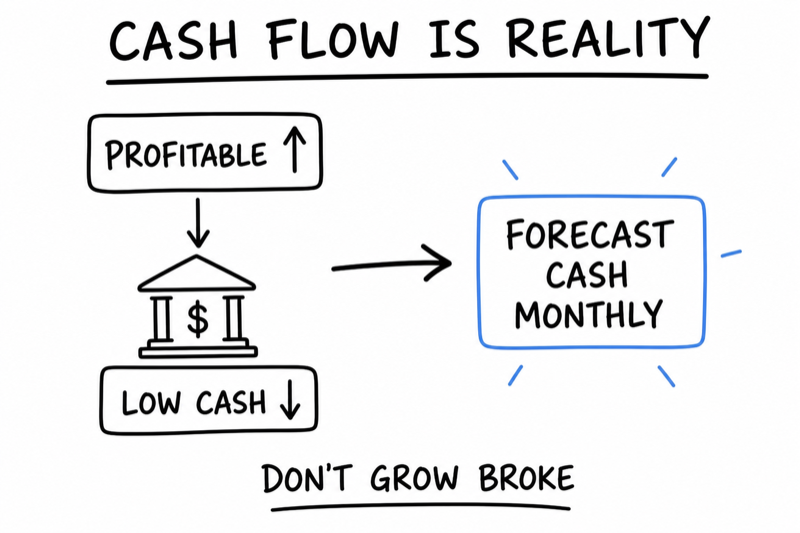
Here’s a scenario that breaks founders: Your business is growing. Revenue is up 50% month-over-month. You’re landing new clients, shipping more orders, and hiring to keep up. On paper, you’re crushing it.
Then one day you check your bank account and there’s $800 left. Payroll is due Friday. You have invoices to pay. And you realize: you’re profitable, but you’re out of cash. It's because there are receivables owed, but they might be 30, 60 or 90 days out.
This is called the growth paradox, and it’s one of the most common ways growing businesses die.
Profit is what’s left after you subtract expenses from revenue. Cash is the actual money in your bank account. They’re not the same.
Here’s why cash and profit can diverge:
The result: Your P&L says you made $10K in profit last month, but your bank account is lower than it was 3 months ago. That’s a cash flow problem.
Let’s walk through a real example of how growth can drain your cash:
Month 1: You land a $5,000 contract (great!). The client will pay in 30 days. But you need to buy $2,000 in supplies and hire a contractor for $1,500 to deliver the work. Cash out: $3,500. Cash in: $0. Bank balance drops.
Month 2: You land two more $5,000 contracts (even better!). Again, you spend $7,000 upfront (supplies + labor). You finally get paid for Month 1’s contract ($5,000). Cash out: $7,000. Cash in: $5,000. Bank balance drops further.
Month 3: You land three more contracts. You’re now spending $10,500 upfront. You collect $10,000 from Month 2. Cash out: $10,500. Cash in: $10,000. Still negative.
You’re making $1,500 profit per contract. On paper, you’re profitable. But every month, you’re spending more cash than you’re collecting because of the 30-day payment delay.
This is the growth paradox: the faster you grow, the more cash you need upfront.
You don’t need a CFO or complicated software. You just need a simple spreadsheet that shows: money in, money out, and what’s left.
Here’s a basic monthly cash flow forecast:
| Month | Starting Cash | Cash In | Cash Out | Ending Cash |
| January | $8,000 | $12,000 | $10,000 | $10,000 |
| February | $10,000 | $14,000 | $13,000 | $11,000 |
| March | $11,000 | $16,000 | $18,000 | $9,000 |
In this example, revenue is growing but cash is trending down. Red flag.
How to build your own Cash Flow spreadsheet:
Update this forecast monthly. It takes 20 minutes and can save your business.
The standard advice is to keep 3–6 months of operating expenses in cash reserves. That’s the ideal. But early on, you might not have that luxury.
Here’s a more practical rule: Never let your cash balance drop below 1 month of expenses. That’s your buffer for slow months, late payments, or emergencies.
Calculate your monthly operating expenses (also called your “burn rate”):
Your Monthly Operating Expenses:
Minimum safe cash balance (1 month buffer): $
If your cash balance drops below this number, stop growing and focus on cash collection. Invoice faster, follow up on late payments, cut non-essential spending.
If cash is tight, here are levers you can pull before taking on debt or investors:
1. Get paid faster
2. Slow down your spending
3. Pre-sell or require deposits
4. Reduce inventory or work-in-progress
5. Raise prices (the overlooked solution)
A line of credit is a safety net — it lets you borrow cash when you need it (like for a big order or a slow month) and pay it back when cash comes in. It’s not free money — you pay interest — but it can smooth out cash flow bumps.
When to consider a line of credit:
When NOT to get a line of credit:
If you do get a line of credit, treat it like an emergency fund — use it sparingly, pay it back quickly, and don’t let it become a permanent crutch.
Sarah’s business is booming. She’s up to 12 corporate clients at $400/month each, plus 20 individual subscriptions. Revenue is $7,800/month. She’s hiring a second assistant and buying more inventory.
The problem: She checks her bank account in mid-month and sees $1,200. Payroll is due in 5 days ($2,000). She has a $900 invoice from her supplier due next week. She’s about to run out of cash — even though she’s profitable.
What went wrong: She was so focused on growth that she didn’t track cash flow. She spent $3,500 on bulk ingredient orders upfront (trying to save money), hired before she had the cash buffer, and didn’t notice that 3 corporate clients were 30 days late on payments.
What she does to fix it:
The result: Within 6 weeks, her cash balance is back up to $8,000 (1.5 months of expenses). She can breathe again. Growth continues, but now it’s sustainable.
Cash Flow Health Check:
If you checked fewer than 4, focus on cash flow this month before focusing on growth.
Growth requires focus – let's learn what to ignore.
The 3 things you must take away from this chapter
Here’s what happens when your business starts working: opportunities multiply.
Someone asks if you’ll create a custom product. A retailer wants to carry your goods. A conference invites you to speak. A potential partner pitches a collaboration. A new marketing channel looks promising.
Every single new opportunity sounds good. And that’s the trap.
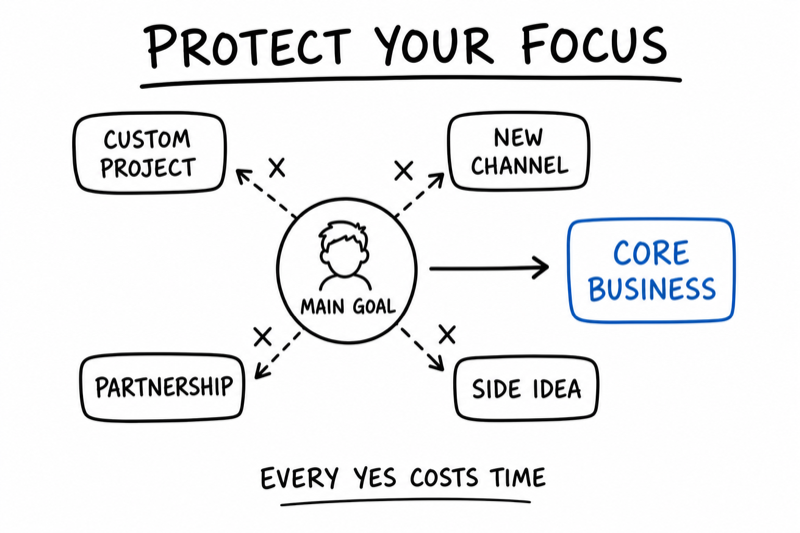
Because here’s the truth: one of the biggest threats to a growing business isn’t failure — it’s distraction. You can’t chase every opportunity. You don’t have infinite time, money, or focus. And trying to do everything means you’ll do nothing well.
This chapter is about saying no — even to good ideas.
Every opportunity has a cost, even when it’s free. The cost is:
And here’s the kicker: most opportunities don’t pay off. That custom project takes 3x longer than expected. The retail deal has terrible margins. The speaking gig costs more in prep time than it generates in leads. The new marketing channel flops.
Meanwhile, your core business — the thing that’s actually working — stalls because you’re too busy chasing side quests.
Here’s a simple decision-making framework from author Derek Sivers:
If it’s not a “hell yes,” it’s a no.
When an opportunity comes your way, ask yourself: Am I excited about this? Does it clearly move my business forward? Is this worth sacrificing time on my core priorities?
If the answer isn’t an enthusiastic YES, it’s a no. Not “maybe.” Not “let me think about it.” Just no.
This doesn’t mean the opportunity is bad. It just means it’s not right for you, right now.
When an opportunity comes up, run it through this filter:
The Opportunity Filter:
If you answer “no” or “I’m not sure” to more than 2 of these, decline the opportunity.
Here are the most common ways growing businesses lose focus:
1. Custom work or one-off projects
A client asks for something outside your normal offering. It sounds lucrative. But custom work rarely scales, often has lower margins, and pulls you away from your repeatable business model.
When to say yes: If it’s a premium client paying 2–3x your normal rate and it doesn’t disrupt your core operations.
When to say no: If it requires new skills, tools, or significant time investment for a one-time payout.
2. Speaking, podcasts, and PR opportunities
Someone invites you to speak at a conference, appear on a podcast, or contribute to an article. It feels like exposure. But exposure doesn’t always convert to customers.
When to say yes: If your target customers are in the audience and there’s a clear path to leads or sales.
When to say no: If it’s just for visibility or vanity metrics (“it would be cool to say I did this”).
3. New products or services before the first one is dialed in
You launch a second product before your first one is profitable and running smoothly. Now you’re managing two fragile businesses instead of one strong one.
When to say yes: If your first offering is proven, profitable, and can run without constant attention.
When to say no: If you’re still figuring out product-market fit or struggling with operations.
4. Partnerships and collaborations
Someone pitches a partnership: co-marketing, bundled offerings, joint ventures. Partnerships sound great in theory. In practice, they’re often slow, complicated, and low-return.
When to say yes: If it’s a clear, simple arrangement with measurable upside (e.g., affiliate program, revenue share).
When to say no: If it requires long negotiations, shared decision-making, or unclear ROI.
5. New marketing channels
You hear about a new platform or strategy (TikTok! Podcasting! SEO! Paid ads!) and feel pressure to try it. But spinning up a new channel takes months to see results — and you already have a channel that works.
When to say yes: If your current channels are maxed out or declining and you have the bandwidth to test something new.
When to say no: If you’re still building traction on your existing channels. Double down before diversifying.
Let’s track the numbers that tell you if you’re actually growing (or just busy).
The 3 things you must take away from this chapter
You can’t improve what you don’t measure. But here’s the trap: most founders either track nothing or track everything.
Tracking nothing means you’re flying blind — you don’t know if you’re growing, stalling, or bleeding money until it’s too late.
Tracking everything means you drown in data — spreadsheets full of numbers that don’t tell you what to do next.
The solution: Track 5–7 core metrics that actually tell you how healthy your business is and what to focus on. That’s what this chapter is about.
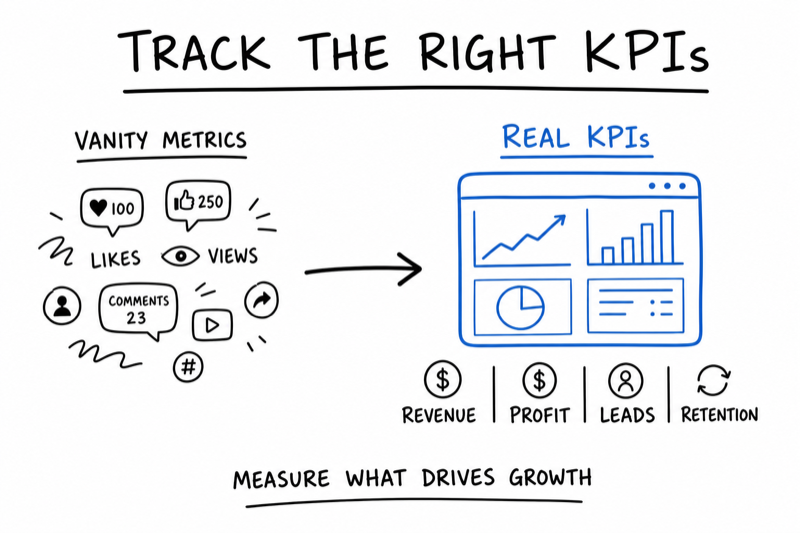
A vanity metric is a number that makes you feel good but doesn’t tell you anything useful. Examples:
An actionable metric is a number that tells you what’s working, what’s broken, and what to do next. Examples:
The difference: Vanity metrics make you feel busy. Actionable metrics make you smarter.
You don’t need a dashboard with 50 metrics. You need a simple monthly review of the numbers that matter. Here are the core KPIs for most small businesses:
1. Monthly Recurring Revenue (MRR) or Total Revenue
What it measures: How much money you’re bringing in.
Why it matters: Revenue growth is the clearest signal that your business is scaling.
How to use it: Track month-over-month. If revenue is flat or declining for 2+ months, dig into why (fewer customers? lower prices? churn?).
2. Gross Profit Margin
What it measures: How much you keep after cost of goods sold (COGS).
Formula: (Revenue − COGS) ÷ Revenue
Why it matters: Revenue means nothing if you’re barely breaking even. Profit margin tells you the health of your business model.
Benchmark: Aim for 50%+ for service businesses, 30–40%+ for product businesses.
3. Customer Acquisition Cost (CAC)
What it measures: How much you spend to acquire one customer.
Formula: Total marketing + sales spend ÷ Number of new customers
Why it matters: If it costs you $200 to acquire a customer who only spends $150, you’re losing money on growth.
How to use it: Compare CAC to customer lifetime value (next metric). CAC should be ⅓ of LTV or less.
4. Customer Lifetime Value (LTV)
What it measures: How much a customer is worth to you over their entire relationship.
Formula (simple version): Average purchase value × Number of purchases per year × Average customer lifespan
Why it matters: This tells you how much you can afford to spend to acquire a customer.
Benchmark: LTV should be 3x CAC or higher.
5. Churn Rate (for subscription businesses) or Repeat Purchase Rate
What it measures: How many customers you’re losing (churn) or how many come back to buy again (repeat rate).
Formula (churn): Customers lost this month ÷ Total customers at start of month
Why it matters: If you’re losing customers faster than you’re gaining them, you have a retention problem (and growth is impossible).
Benchmark: Churn should be under 5–10% per month. Repeat purchase rate should be 20%+ within 6 months.
6. Cash Balance or Runway
What it measures: How much cash you have and how long it will last.
Formula (runway): Cash on hand ÷ Monthly burn rate
Why it matters: Profitability doesn’t matter if you run out of cash (see Chapter 6).
Benchmark: Maintain at least 1–3 months of runway.
7. Net Profit Margin (optional but useful)
What it measures: How much you keep after ALL expenses (not just COGS).
Formula: (Revenue − All Expenses) ÷ Revenue
Why it matters: This is your true bottom line. A business with $100K in revenue and a 5% net margin is less healthy than one with $50K in revenue and a 30% margin.
Benchmark: Aim for 10–20%+ for small businesses.
You don’t need fancy software. A Google Sheet is fine. Here’s a simple template:
| Metric | This Month | Last Month | Change |
| Revenue | $12,000 | $10,000 | +20% |
| Gross Profit Margin | 58% | 55% | +3% |
| New Customers | 8 | 6 | +33% |
| CAC | $125 | $150 | -17% |
| Churn Rate | 6% | 8% | -2% |
| Cash Balance | $9,200 | $8,000 | +15% |
How to use it: On the first Monday of every month, update this sheet. Look for trends. Ask:
Sarah starts tracking her core KPIs every month. Here’s what she learns:
Month 1:
Insight: Churn is way too high. She’s losing 12% of customers every month, which means she’s on a treadmill — constantly replacing lost customers instead of growing.
Action: She surveys churned customers and discovers the #1 reason: “Meals got repetitive.” She adds a rotating menu with 2 new options every month.
Month 3: Churn drops to 5%. Revenue jumps to $14,000 because she’s retaining more customers.
Month 4: She notices CAC is creeping up ($200). She digs in and realizes she’s spending on Instagram ads that aren’t converting well. She cuts Instagram, doubles down on LinkedIn outreach to corporate clients (which has a CAC of $100).
The result: By tracking and reviewing KPIs monthly, Sarah makes data-driven decisions instead of guessing. Revenue grows from $10K to $18K over 6 months, and profit margin improves from 52% to 60%.
Pick your 5–7 core KPIs:
Set up your dashboard:
Let’s build a business that grows without consuming you.
The 3 things you must take away from this chapter
Here’s the story every burnt-out founder tells:
“I worked 70-hour weeks for two years straight. I skipped vacations. I canceled plans with friends and family. I told myself, ‘Just one more year and then I’ll slow down.’ But the business kept demanding more. And eventually, I hit a wall — physically, mentally, emotionally. I couldn’t do it anymore.”
Burnout is not inevitable. It’s a choice you make — often without realizing it — when you prioritize growth over sustainability.
This chapter is about building a business that grows and gives you a life worth living.
Burnout isn’t about working hard. Plenty of people work hard and love it. Burnout happens when:
The result: exhaustion, resentment, and the slow realization that you built a job that’s worse than the one you left.
Burnout doesn’t happen overnight. It creeps up. Here are the early warning signs:
If more than 3 of these apply to you, you’re heading toward burnout. It’s time to make changes.
Boundaries are not selfish. They’re the infrastructure that keeps you functional. And they work best when you set them proactively, not reactively.
Here’s how to build boundaries into your business:
1. Define your working hours (and stick to them)
Decide when you work and when you don’t. Example: “I work Monday–Friday, 9am–5pm. I don’t check email on weekends.”
Communicate this to customers: “I respond to emails within 24 hours during business days (M–F).” Most customers won’t care. The ones who do are not your ideal customers.
2. Schedule time off (non-negotiable)
Put vacations and personal days on the calendar before you guide client work. Treat them like client meetings — you wouldn’t cancel on a client, so don’t cancel on yourself.
Even if it’s just a long weekend every quarter, schedule it now.
3. Build in recovery time
Don’t schedule back-to-back work for weeks on end. Build buffer days into your calendar — days with no meetings, no deadlines, just admin, planning, or rest.
Example: Block every Friday afternoon as “no meetings, catch-up time.”
4. Protect your health (non-negotiables)
Your body is not optional. Identify your health non-negotiables and protect them. Examples:
If the business can’t accommodate these, the business model is broken — not you.
5. Say no to clients or projects that drain you
Not all revenue is good revenue. If a client is high-maintenance, disrespectful, or constantly pushes boundaries, fire them. The money isn’t worth your mental health.
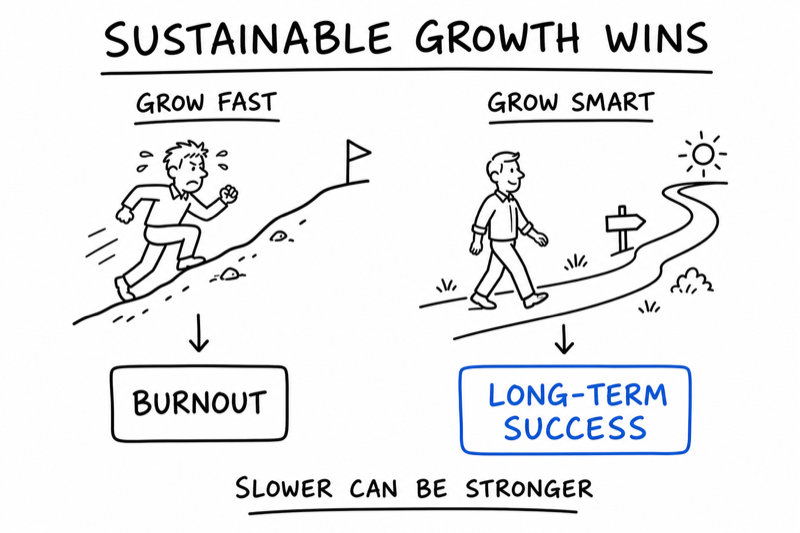
Growth-at-all-costs culture celebrates hustle, sleepless nights, and sacrificing everything for the business. That’s a terrible strategy for small business owners.
Why? Because:
Sustainable growth means growing at a pace you can maintain for years, not months. It means:
Ironically, sustainable growth often leads to faster long-term results because you don’t burn out and quit halfway through.
Sustainable Growth:
Growth At All Costs:
One of the best ways to avoid burnout is to stop doing everything yourself. Delegation isn’t laziness — it’s leverage.
Here’s what to delegate first (in order of priority):
Yes, delegation costs money. But burnout costs more — in lost revenue, health, and happiness.
Sarah has a choice: A corporate catering company offers her a contract to provide 200 meals/week. It would triple her revenue overnight.
But she runs the numbers:
Her decision: She declines the contract. Instead, she grows her corporate subscription base slowly — adding 2–3 new clients per month. It takes longer to hit her revenue goal, but she maintains her working hours, takes weekends off, and doesn’t burn out.
Two years later, she’s at $25K/month in revenue with a 60% profit margin, a part-time team, and a business that runs smoothly. The catering company that offered the contract went out of business after 18 months.
Slow and steady won.
Set your non-negotiables:
Working hours:
Days off per week:
Vacation days per year (minimum):
Health non-negotiables (sleep, exercise, meals, etc.):
Early warning check (check any that apply right now):
If you checked 3+, what’s one change you’ll make this week?
Let’s map out where you want this business to go — and how to get there.
The 3 things you must take away from this chapter
You’ve made it past launch. You’ve built systems, hired help, and started scaling. You’re no longer firefighting every day. Congratulations. You’re running a real business.
But here’s the question that trips up most founders at this stage:
“What do I actually want this business to become?”
Because here’s the truth: not every business needs to scale to 7 figures. Not every founder wants to manage a team of 20 people. And chasing someone else’s definition of success is a fast track to misery.
This final chapter is about defining your version of success and building toward it intentionally.
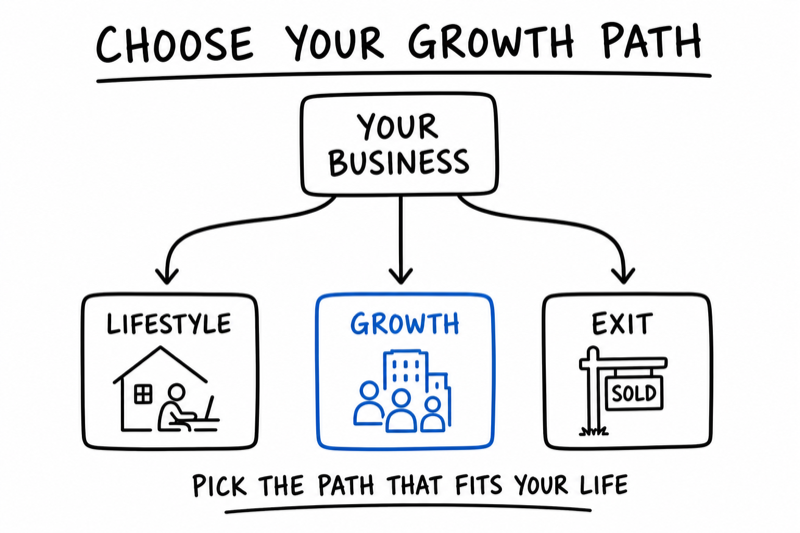
Most small business owners fall into one of three categories. None is better or worse — they’re just different. The key is choosing the one that aligns with what you actually want.
Path 1: The Lifestyle Business
Goal: Build a profitable, manageable business that gives you freedom and flexibility.
Revenue target: $100K–$300K/year
Team size: Solo or small (1–3 people)
What this looks like: You work 20–30 hours/week, take vacations, and have full control. The business supports your life without consuming it. You’re not trying to build an empire — you’re building a life.
Path 2: The Growth Business
Goal: Scale revenue, build a team, and create a business that can eventually run without you.
Revenue target: $500K–$2M+/year
Team size: 5–20+ people
What this looks like: You’re actively growing, hiring, and building infrastructure. You’re still involved but transitioning from operator to CEO. This requires more time, risk, and complexity — but it can create significant wealth and impact.
Path 3: The Exit-Focused Business
Goal: Build a business you can sell or hand off in 3–7 years.
Revenue target: $1M–$5M+ (depending on industry)
Team size: Large enough to run without you
What this looks like: You’re building with the end in mind. Every decision is made through the lens of “will this make the business more valuable to a buyer?” You document everything, build strong systems, and reduce dependency on yourself.
Which path is right for you? Ask yourself:
Most founders are so busy running the business that they never stop to ask: Where do I actually want this to go?
Here’s how to create a 3-year vision that guides your decisions:
Use your magic wand. Imagine it’s 3 years from today. Your business is exactly what you want it to be. Describe it in detail:
Revenue: per year
Profit margin:
Team size: people
Your role: What do you spend your time doing?
Your schedule: How many hours per week do you work? What does a typical week look like?
Products/services: What are you selling? (Same as now or different?)
Customers: Who are you serving? (Same audience or new?)
Lifestyle: What does your life outside the business look like?
What had to change to get here? (What did you stop doing? Start doing? Delegate?)
This is your North Star. Every decision you make from here should move you closer to this vision — or you should question the decision.
You can’t build a 3-year vision in one month. But you can take the next step. Here’s how to break it down:
Months 1–3: Stabilize & Systematize
Months 4–6: Delegate & Scale
Months 7–9: Optimize & Grow
Months 10–12: Reflect & Plan Next Year
Once your core business is stable and profitable, you’ll be tempted to expand: new products, new markets, new revenue streams.
When expansion makes sense:
When to stay focused:
The rule of thumb: Don’t add a second revenue stream until the first one is rock-solid.
Even if you plan to run your business for decades, you should build it like you might sell it someday. Why?
What makes a business sellable?
If you build these into your business from the start, you create optionality — you can sell, scale, or coast, depending on what your life requires.
Sarah completes the 3-year vision exercise. Here’s what she writes:
Revenue: $400K/year ($33K/month)
Profit margin: 60%
Team: 3 part-time kitchen assistants, 1 part-time delivery driver, 1 VA for admin
Her role: Sales, menu planning, and business strategy. She works 25 hours/week.
Her schedule: Monday–Thursday, 9am–3pm. Fridays and weekends off.
Customers: 40 corporate clients, no more individual subscriptions (too low-margin)
Lifestyle: Takes 4 weeks of vacation per year, works from home, has time for her kids and hobbies
What needs to change:
Her 12-month roadmap:
Three years later, she’s at $380K/year revenue, works 20 hours/week, and has a business that runs whether she’s there or not. She didn’t build a $1M business — but she built the exact business she wanted.
Define your path:
Which path resonates most with you?
Your #1 priority for the next 3 months:
One thing you need to stop doing to move forward:
One thing you need to start doing:
When you started this journey, you had an idea. Maybe it felt risky. Maybe people told you to play it safe. Maybe you weren’t sure you could pull it off.
But you did it anyway.
You assessed your idea. You validated it with real customers. You set up the legal and financial foundations. You built a website. You found your first paying customers. And now, you’re past the hardest part — the part where most people give up.
You’re not just running a business. You’re building something that didn’t exist before you started. That matters more than you probably realize.
Over the last 10 chapters, you’ve built the foundations for sustainable, intentional growth:
These aren’t just concepts. They’re the operating system for a business that can scale without consuming you.
If you take one idea from this guide, let it be this:
Your business should serve your life, not the other way around.
Revenue is great. Growth is exciting. But if you build a business that traps you, makes you miserable, or costs you your health and relationships, you haven’t succeeded — you’ve just built an expensive cage.
The businesses that last — the ones that still feel worth doing 5 or 10 years in — are the ones built on sustainable systems, clear boundaries, and intentional choices.
Systems beat hustle. Processes beat talent. Sustainable beats fast.
You don’t have to do everything in this guide at once. Pick one chapter. Start there. Make progress. Then move to the next.
Here’s a simple next step:
This week, do one thing that moves you from operator to owner. Maybe that’s documenting one process. Maybe it’s scheduling your first vacation in months. Maybe it’s saying no to a distraction. Just one thing.
Next week, do another. And another. Over time, those small, intentional changes compound into a business that works the way you want it to.
Building a business is hard. You already know that. There will be slow months, difficult customers, hiring mistakes, and days when you question if it’s worth it.
But here’s what I’ve seen after working with hundreds of founders:
The ones who make it aren’t the ones with the best ideas or the most funding. They’re the ones who keep showing up, keep learning, and keep building — even when it’s hard.
You’ve already proven you’re one of those people. You made it past launch. You’re building systems. You’re thinking long-term. That puts you ahead of 90% of people who start businesses.
So keep going. Not because it’s easy, but because you’re building something that matters — to your customers, to your future, and to yourself.
You’ve got this.
— Tim Donahue
StartABusiness.Center
Visit StartABusiness.Center/resources for free downloads:
This is the final guide in the 6-guide series. If you haven’t read the others, here’s the full roadmap:
All available at StartABusiness.Center.
Thank you for reading. Now go build the business you actually want.
